


AI coding assistants change how people learn and write code. These intelligent tools suggest lines of code, explain concepts, fix errors, and even build small features from simple descriptions. Beginners no longer stare at a blank screen for hours. They get instant help that feels like a patient tutor sitting beside them.
In 2026, these assistants range from simple autocomplete features to powerful agents that handle multi-file tasks. You can start with free options and grow into advanced ones as your skills improve. This guide walks you through everything beginners need to know. You will discover popular tools, how they work, smart ways to use them, common pitfalls, and practical steps to accelerate your coding journey without losing your own learning progress.
What Exactly Are AI Coding Assistants?
AI coding assistants use large language models trained on vast amounts of code. They analyze your current file, project context, and comments to predict what you want to write next. Some only complete lines while you type. Others chat with you, generate entire functions, write tests, or refactor code across multiple files.
For beginners, the real value comes from explanation and guidance. You ask why a piece of code works, and the assistant breaks it down in plain language. You make a mistake, and it suggests fixes while teaching the underlying concept. This combination speeds up practice sessions and builds confidence faster than traditional tutorials alone. Modern tools in 2026 also remember your project style and adapt suggestions to match your preferences.
Why Beginners Benefit Most from AI Coding Assistants
New coders often struggle with syntax, logic errors, and debugging. AI assistants reduce frustration by handling repetitive parts and offering immediate feedback. You spend less time searching Stack Overflow and more time actually building projects. Studies and developer reports show beginners gain significant productivity boosts in their first months.
The tools also expose you to best practices early. They suggest clean code structures, proper error handling, and modern patterns that experienced developers use. This early exposure helps you develop good habits instead of picking up bad ones. At the same time, you stay in control. The assistant proposes ideas, but you decide what to keep and what to change. This active review process strengthens your understanding.
Popular AI Coding Assistants for Beginners in 2026
Several tools stand out for new learners because they offer gentle learning curves and helpful free tiers. GitHub Copilot integrates directly into VS Code and provides inline suggestions as you type. It feels natural and works well for everyday tasks. Cursor acts like a full AI-powered editor with strong multi-file capabilities and clear explanations.
Claude Code excels at reasoning and works great through a terminal or chat interface. It explains complex logic patiently. Windsurf (formerly Codeium) provides a generous free tier and fast completions. Replit offers a browser-based environment where beginners build full apps with AI help and see results instantly. Tabnine focuses on privacy and gives solid suggestions without sending all your code to the cloud. Each tool has strengths that suit different learning styles.
How AI Coding Assistants Actually Work
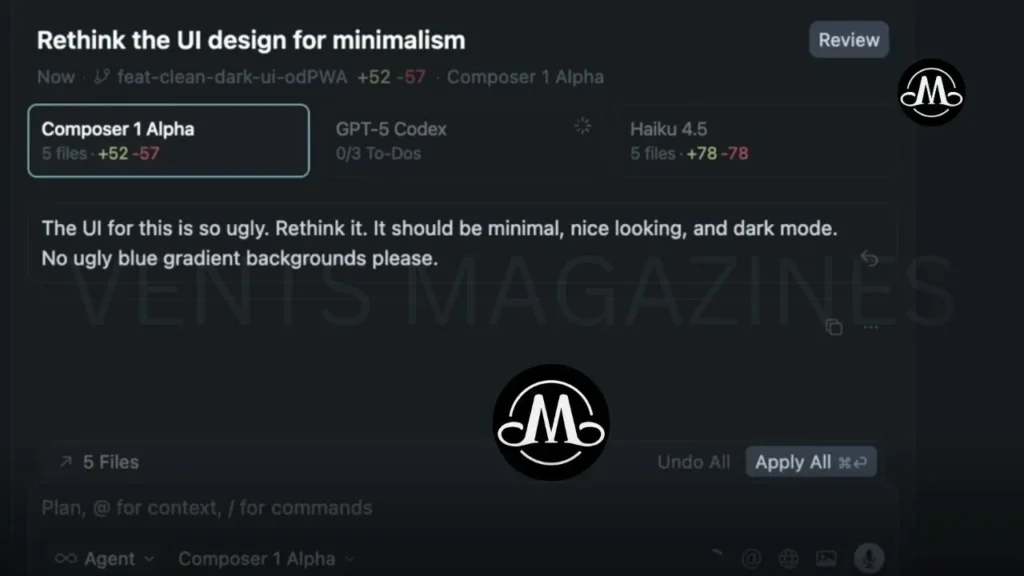
These assistants process your code in real time. They look at the surrounding context, your comments, and even open files to understand intent. The model then generates relevant suggestions based on patterns it learned from millions of code examples. Advanced versions use agentic features. They break down your request into steps, edit files, run tests, and iterate until the task completes.
For beginners, start with simple autocomplete. Type a few characters and accept helpful completions. As you grow comfortable, move to chat features. Describe what you want in natural language, such as “create a function that calculates average from a list.” The assistant generates the code and explains each part. This interactive loop turns passive reading into active learning and helps you internalize concepts quicker.
Getting Started with Your First AI Coding Assistant
Begin by installing VS Code if you have not already. It is free and works with most tools. Add the GitHub Copilot extension for an easy entry point. Sign up for a free or low-cost plan and connect it to your editor. Open a simple project, such as a to-do list app in Python or JavaScript.
Type comments that describe your goal, then let the assistant suggest code. Accept suggestions thoughtfully and run the program to test. If something looks wrong, ask the chat feature to explain or fix it. Spend 10–15 minutes daily practicing this way. Track what you learn rather than just copying. Within a week, you will notice faster progress and fewer basic errors.
Smart Ways to Use AI Coding Assistants as a Beginner
Treat the assistant as a pair programmer, not a replacement. Always read and understand every line it suggests before accepting. Ask follow-up questions like “why did you use a list comprehension here?” or “what happens if the input is empty?” This habit builds deeper knowledge.
Use the tools for boilerplate code, such as setting up classes or handling user input. Focus your own effort on logic and problem-solving. For learning projects, start small. Build a calculator, then a quiz app, then a simple web page. Let the assistant speed up repetitive parts while you design the overall flow. Combine AI help with free resources like freeCodeCamp or official documentation to reinforce concepts.
Comparing Top AI Coding Assistants for New Coders
GitHub Copilot offers seamless integration and works across many languages. It suits beginners who want quick wins inside their familiar editor. Cursor provides a more modern experience with excellent context awareness and composer mode for bigger changes. Many beginners find its interface intuitive after a short adjustment period.
Claude Code shines when you need clear reasoning and step-by-step explanations. It helps you understand “why” behind the code. Windsurf gives strong free access and fast performance, which encourages daily practice without cost pressure. Replit feels perfect for absolute beginners because everything runs in the browser with built-in AI support. Choose based on your setup VS Code users often start with Copilot or Cursor, while browser fans love Replit.
Common Features That Help Beginners the Most
Inline code completion saves typing time and teaches syntax naturally. Chat interfaces let you ask questions in plain English and receive tailored answers. Error explanation turns frustrating bugs into learning moments. Test generation helps you write reliable code early.
Multi-file awareness becomes useful once your projects grow. The assistant sees connections across files and suggests consistent changes. Documentation generation and refactoring tools clean up your work without manual effort. In 2026, many tools also include learning modes that gradually reduce assistance as your skills improve, preventing over-reliance.
Potential Risks and How Beginners Can Avoid Them
AI sometimes suggests code that looks correct but contains subtle bugs or security issues. Beginners might accept these without noticing problems. Always test thoroughly and understand the logic. Over-reliance can slow true skill development if you stop thinking critically.
Security and privacy matter too. Some tools send your code to remote servers. Use privacy-focused options like Tabnine for sensitive projects. Cost can add up if you upgrade too early. Stick with free tiers until you see clear value. The biggest risk comes from treating AI output as final. Review every suggestion, learn from it, and make it your own. This balanced approach delivers speed without sacrificing growth.
Best Practices to Learn Faster While Using AI
Set daily goals that mix AI assistance with independent work. For example, let the assistant generate a function, then rewrite it yourself from scratch. Review changes side by side to spot improvements. Keep a learning journal where you note new concepts or mistakes the AI helped catch.
Join online communities where beginners share AI workflows. Experiment with different tools on the same project to see which fits your style. Take breaks from AI occasionally to solve problems manually. This builds resilience and deeper understanding. Celebrate small wins, such as completing your first full app with AI support, to stay motivated.
Real-World Examples and Beginner Projects
Start with a number guessing game. Describe the rules to the assistant and let it build the core loop. Then modify the code to add difficulty levels or score tracking. Move to a simple web portfolio. Ask the assistant to create HTML and CSS structure, then customize styles yourself.
Build a task manager app next. Use AI for database connections or user authentication while you design the interface. These projects teach full-stack basics quickly. As confidence grows, tackle mini challenges like a weather fetcher or expense tracker. Each project reinforces concepts and shows how AI accelerates real development without replacing your creativity.
The Future of AI Coding Assistants for New Developers
In the coming years, these tools will become even more agentic. They will handle larger parts of projects while explaining decisions clearly. Beginners will enter the field faster and tackle complex ideas sooner. However, human skills in architecture, user experience, and ethical decision-making will remain essential.
AI will shift the focus from writing every line to higher-level problem solving and system design. Beginners who learn to collaborate effectively with these assistants will stand out. They will ship projects quicker and iterate based on real feedback. The key remains balancing speed with deep understanding.
Conclusion
AI coding assistants give beginners a powerful advantage in 2026. They reduce frustration, speed up practice, and teach modern patterns from day one. Tools like GitHub Copilot, Cursor, Claude Code, and Replit make coding accessible and enjoyable. Yet the real magic happens when you stay curious, review suggestions carefully, and combine AI help with active learning.
Start small today. Pick one tool, open a simple project, and experiment. You will write code faster, understand concepts deeper, and build real projects sooner than you expect. The journey becomes less intimidating and more exciting. Embrace these assistants as helpful partners while you develop your own unique skills. Your coding future starts now smarter, faster, and full of possibilities.
Frequently Asked Questions
What is the best AI coding assistant for absolute beginners?
GitHub Copilot or Replit works well for most newcomers. They offer easy setup, free options, and gentle guidance that helps without overwhelming you.
Do I need to know programming before using AI coding assistants?
No. Many beginners start with zero experience. The tools explain concepts as they suggest code and help you learn while building simple projects.
Can AI coding assistants replace learning to code manually?
They cannot fully replace manual practice. Use them to accelerate learning, but always review, test, and rewrite code yourself to build real skills.
Are AI coding assistants free for beginners?
Yes. Most offer free tiers or limited free usage. GitHub Copilot, Windsurf, and Replit provide enough features to start without paying.
How do I avoid becoming too dependent on AI suggestions?
Review every line, ask the assistant to explain its choices, and regularly solve problems without help. This keeps your brain active and strengthens understanding.
Which programming languages work best with AI coding assistants?
Popular languages like Python, JavaScript, HTML/CSS, and Java receive the strongest support. Most tools handle dozens of languages effectively.
Stay Connected with VENTS MAGAZINES